Administration
First we have to register a new volume, create a project, and, if necessary, create new users.
For this we need:
- A name for the project. We call it trafficcross1.
- Two volumes, one for the process station and one for the operator station.
- We need three users: one developer, one operator and one maintenance technician.
Volumes, projects and users are registered and created in the administrator tool.
Register volume
For this project, we need two volumes, one for the process station, and one for the operator
station. They are root volumes so we can choose an idle volume identity in the interval
0.1-254.1-254.1-254. We choose 0.1.1.1 to the operator station and 0.1.1.2 to the process
station, and enter the volume mode in the Administrator to register these volumes.
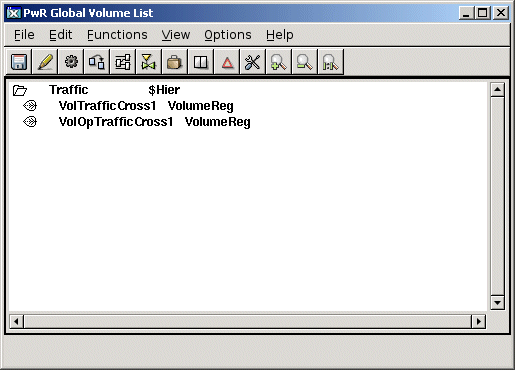
Fig Volume registration
Create users
Eric is a developer in the traffic department, an Carl is an operator. They are both involved
in all the projects at the traffic department, so we create a common systemgroup for all the
projects and let them share users. We grant Eric developer and system privileges, Carl
operator privileges and Lisa maintenance privileges.
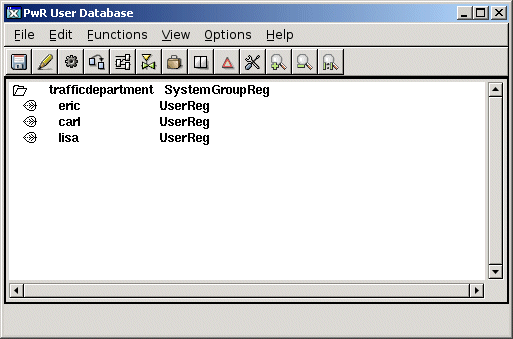
Fig Created users
Create Project
We create the project with the hierarchy name 'traffic-trafficcross1'.
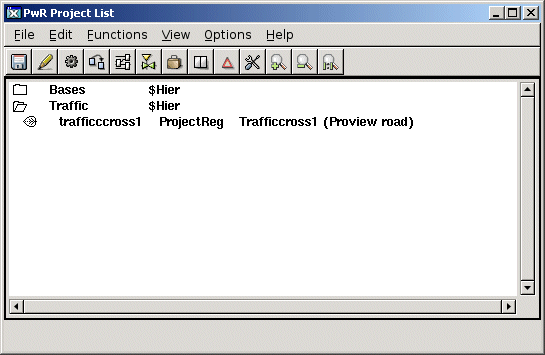
Fig Created project
Configure the project
The project has a directory volume in which the nodes and volumes of the project are configured.
In the left window the volumes are configured with RootVolumeConfig objects. In the right
window the process and the operator station are configured with NodeConfig objects. The
NodeConfig objects is put beneath a BusConfig object that states in which QCOM bus the nodes are
communicating.
The NodeConfig objects contains
- Nodename
- ip address of the node
Below each NodeConfig object there is a RootVolumeLoad object that states the volume to load
at runtime startup.
Note also the system object with the attribute SystemGroup that is assigned the value
'trafficdepartment'. This grants the users eric, carl and lisa access to the project.
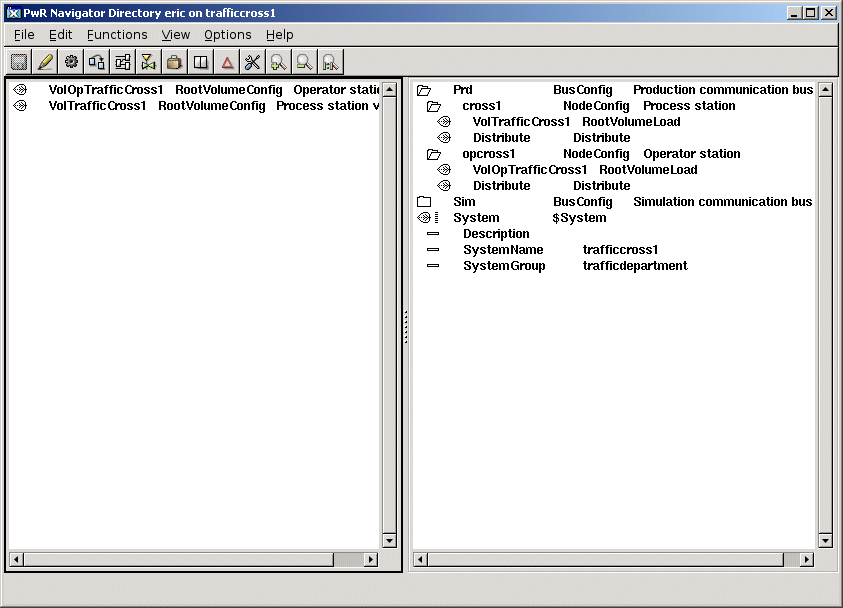
Fig The Directory Volume