An example

To show how to work with the classes that are briefly described above we will start with a little
example. The classes are described in more detail below.

In our example we have one ProviewR-system communicating with an other node via UDP/IP. We will
send a few messages in both directions. My node is named 'dumle' and the remote node is named
'asterix'.

The messages we will send are:

d_a_RequestData      4 Byte
d_a_Report           20 Byte
and the messages we will receive are:

a_d_Data             365 Byte (as an answer to the d_a_RequestData-message)
a_d_Error            10 Byte
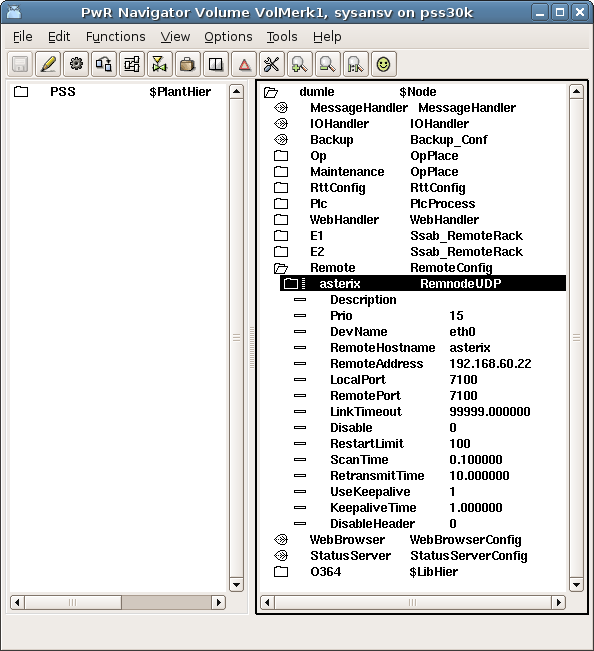
The configuration in the node-hierarchy looks like this.

The RemoteConfig-object has to be there. I have added a RemnodeUDP object below this and
configured address and nodename as well as the port-numbers to communicate on.


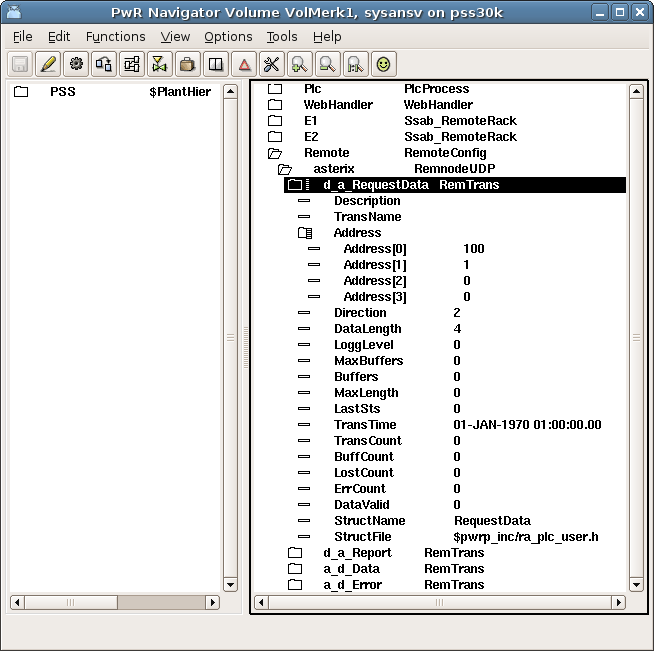
Below the RemnodeUDP-object I have added four RemTrans-objects, one for each message. In the
remtrans-objects I have configured the direction (send or receive)and numbered the addresses so I can
distinguish between the messages and set the sizes on the sending messages.


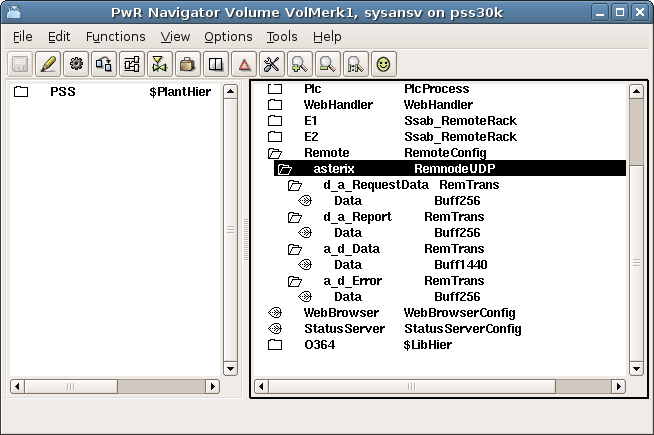
Below the remtrans-objects I have put the data-buffers. For the smaller messages I have chosen the
small Buff256-buffer. The Data-message is larger and I have therefore chosen the Buff1440-buffer for
this message.


The data structures

The data structures for the messages are defined in the file ra_plc_user.h in $pwrp_inc-directory. This
file is automatically included when you compile the plc-code. The structures look like:

typedef struct {
   pwr_tUInt32 Id;
} d_a_RequestData;

typedef struct {
   pwr_tUInt32 Id;
   pwr_tFloat32 data_1;
   pwr_tInt32 data_2;
   pwr_tInt32 data_3;
   pwr_tInt32 data_4;
} d_a_Report;

typedef struct {
   pwr_tUInt32 Id;
   pwr_tFloat32 data_1;
   ...
   ...
   pwr_tInt32 data_xx;
} a_d_Data;

typedef struct {
   pwr_tUInt32 Id;
   pwr_tInt32 func_no;
   pwr_tInt16 err_code;
} a_d_Data;

By default the gcc compiler will align elements in data stuctures on 32 or 64-bit boundaries. When
creating data structure for communications, this will cause confusion as different compilers and
platforms have different alignment rules. To avoid this use attribute packed when declaring the
stucture.

typedef struct {
   pwr_tUInt32 Id;
   pwr_tInt32 func_no;
   pwr_tInt16 err_code;
} __attribute__((__packed__)) a_d_Data;
The plc code


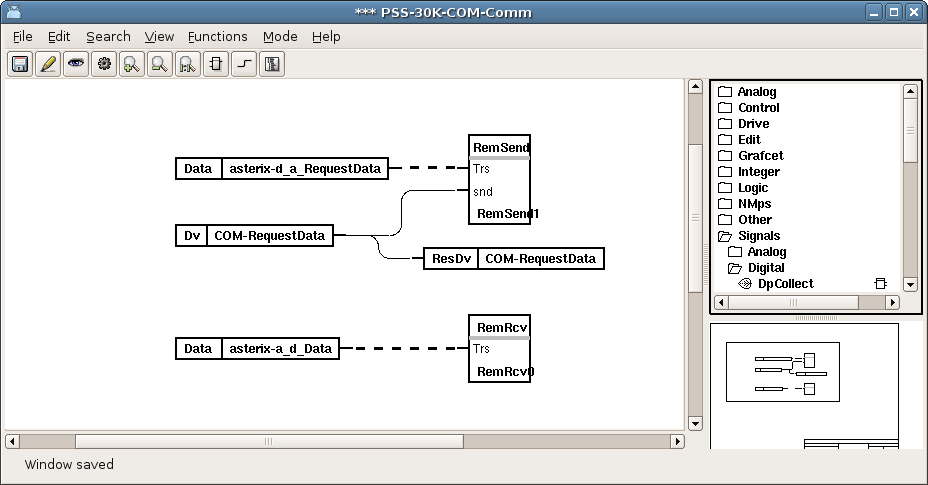
I have a plc program named Comm. In this program I have placed one RemTransSend-object and one
RemTransRcv-object. These objects are found below the "Other"-hierarchy in the plc-editor palette.
To the RemTransSend-object I have connected the RemTrans that I want to send; in this case the
d_a_RequestData-message. The message will be sent when the Dv-signal "RequestData" is set. Similarly
I have connected the a_d_Data-message to the RemTransRcv-object, which will be the answer
to my request.


Both the RemTransSend and the RemTransRcv-objects have a subwindow. For the RemTransSend this subwindow
will be executed when there is a flank on the snd-pin. When the subwindow has been executed, the
DataValid-attribute of the connected RemTrans-object is set. The transport job for this Remnode
sends the message and sets the DataValid-flag to zero.

For the RemTransRcv the subwindow will be executed when the DataValid-attribute in the connected
RemTrans-object is set. When the transport job for this Remnode receives a message, it fills the
data buffer with the received data and then sets the DataValid-flag.
After execution the flag will be reset.

Send subwindow

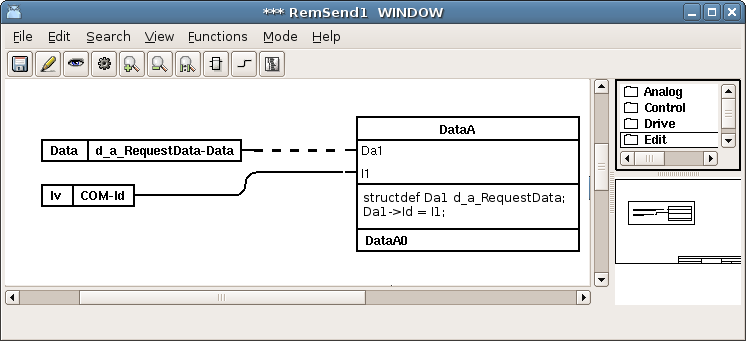
In the send subwindow we fill in the data in the send-buffer. The send-buffer for the message to send
is connected to a DataArithm. The special 'structdef'-syntax casts Da1 to be a pointer to a
d_a_RequestData-struct.


Receive subwindow

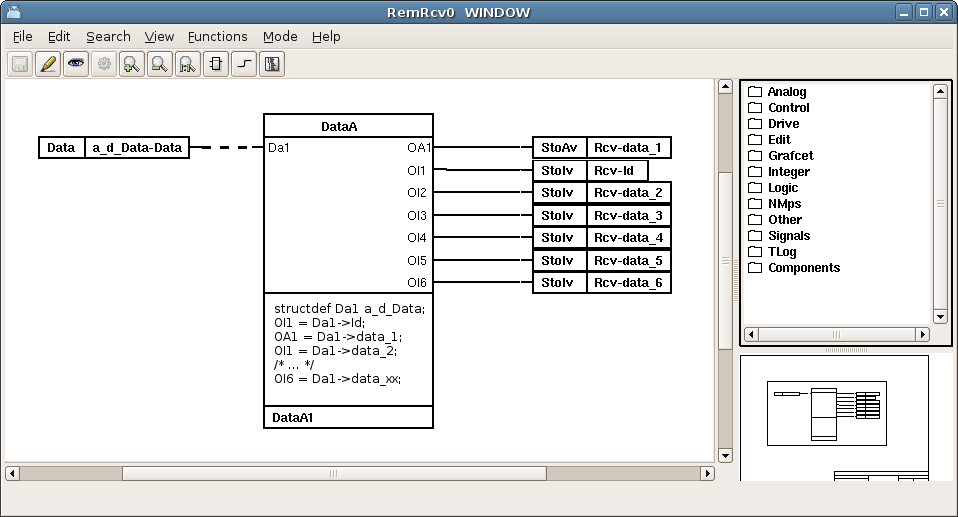
In the receive subwindow we unpack the data received in the receive-buffer. The receive buffer
is connected to a DataArithm. Again we use the classdef-statement to cast the Da1-pointer.
We unpack the data to the output pins of the DataArithm. If one DataArithm is not enough to unpack
the parameters we just add more DataArithm's and continue in the same way.