Simulation object
A simulation object is used to simulate the process, both at normal conditions and when
different errors occurs. The simulation object reads the output signals (Do, Ao, Io) in the main
object, and sets values to the input signals (Di, Ai, Ii, Co). The object is a functionobject
that can contain input and output attributes, but these are usually missing, and the object is
working with data in the main object, and with internal attributes that configures the
simulation and triggers various error conditions. The simulation object often has an object
graph that is opened by the Simulate method of the main object.
A simulation object is connected to the main object by a connect method, in the same way as an
ordinary function object. But the simulation class has another connect method than the Fo class.
The main object should contain the attribute 'SimConnect' of type pwrs:Type-$AttrRef, into
which the connection method will store the identity for the simulation object when a main
instance object and a simulation instance object are connected.
A simulation class is created in the same way as a functionobject class, and can be written in
c of plc-code. The class is preferably named with the same name as the main class, followed by the
suffix 'Sim'.
Create a $ClassDef object and name the object. Then activate the Configure-ConnectedFo or
Configure-ConnectedCCodeFo. Add any $Input, $Intern and $Output attributes, and write the code
in plc or c-code. Change the connect method in GraphPlcNode to 26.
The object graph for simulation objects are often drawn with darkblue background and white text
to easily be parted from other object graphs. Note that attributes in the main object can be
referenced by the '&' notation, e.g. &($object.PlcConnect).IndError##Boolean.
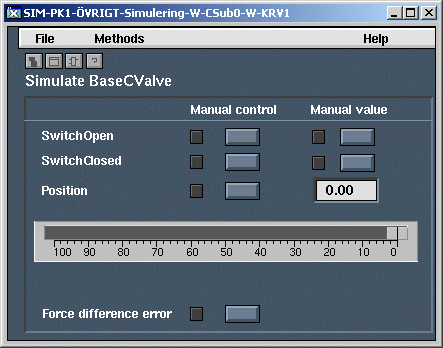
Object graph for a simulation object