Data classes
Data classes are the most elementary classes, and usually used to store data. The classes
constist of a RtBody with attributes.
To create a class you put a $ClassDef object below the 'Class' object.
The name of the object states the class name.
Under the $ClassDef object you create a $ObjBodyDef object that automatically gets the name
RtBody.
Under the RtBody object, an $Attribute object is created, that defines an attribute in the
class. The name of the $Attribute object states the attribute name. In the object you should
state this in the attribute object:
- the attribute type is stated in TypeRef, e.g a 32-bit integer is stated with
pwrs:Type-$Int32, a 32-bit float with pwrs:Type-$Float32 and a boolean with
pwrs:Type-$Boolean. Actually it is the full name of a type definition object that is
inserted. See the Object Reference Manual, pwrs/Types, which types are defined.
- if the attribute name contains national characters, in PgmName you have to state a name
without national characters, that is accepted by the c compiler.
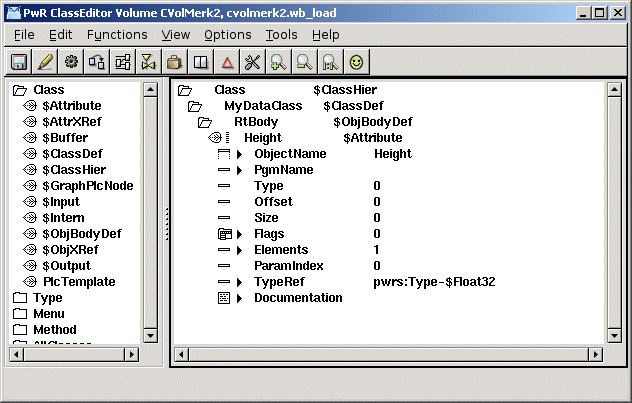
Definition of an attribute
When you save, an instance object of the current class with the name Template, is created under
the $ClassDef object. Here you can see the layout of the class, and also set template values for
attributes. When other instances of the class are created, they are created as a copy of the
Template object.
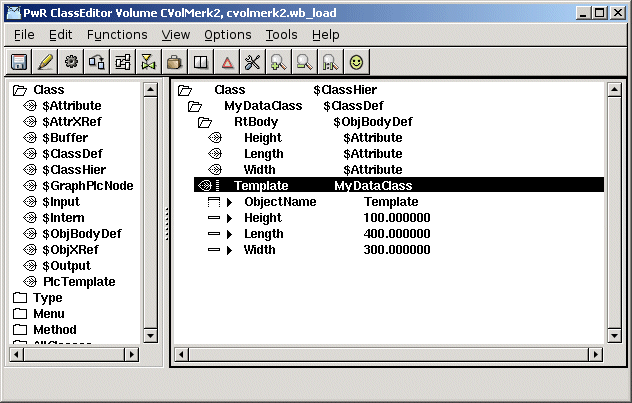
Template object with default values
Arrays
An array attribute is defined with an $Attribute object, as other attributes. Here you set
the Array bit in Flags, and state the number of elements in the array in Elements.
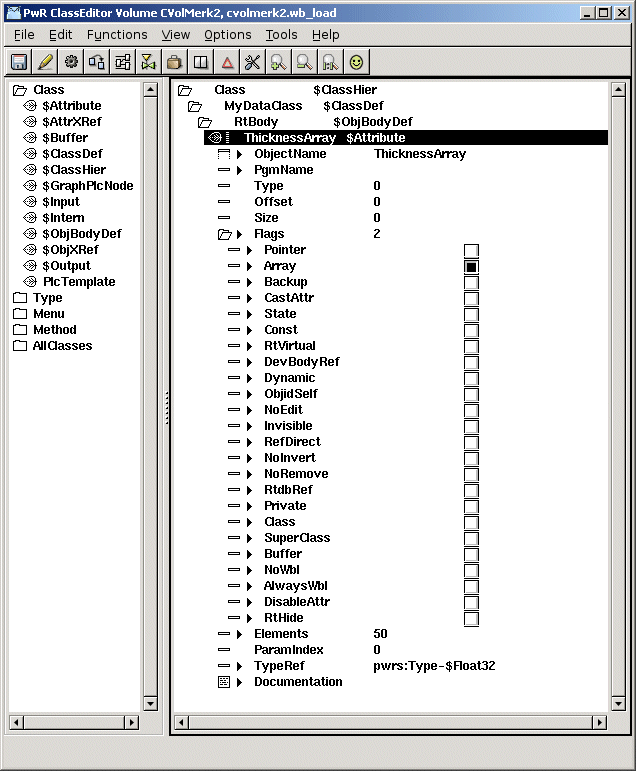
Definition of an array attribute with 50 elements
Pointers
There are two types of pointer attributes
- relative pointers that can be used by serveral processes. The value is set with the
gdh_StoreRtdbPointer() function and converted to an absolute pointer with
gdh_TranslateRtdbPointer(). Set the Pointer bit in Flags. Note! The size of the element the
pointer is pointing at should be set in Size (in bytes).
- absolute pointers. These can only be set and used by one single process. Set the Pointer
bit and the Private bit in Flags.
Attribute objects
The term attribute objects refer to attributes that are described by a data structure. The
reason to do this can be that you want to gather data under a map, or that the datastructure
is repeated, and in this case you create an attribute object array.
The data structure of the attribute is defined in a separate class. The class should only
contain a runtime body, and can not have a development body.
The attribute object is defined by an $Attribute object. In TypeRef the class describing the
datastructure is stated, and in Flags the Class bit is set.
You can also create an array, by setting the Array bit in Flags, and state the number of
elements in Elements.
Attribute objects can also contain attributes that are attribute objects. The number of levels
are limited to 20, and the total attribute name is limited to 255 characters.
An attribute in an attribute object is referred to with periods as delimiter, i.e. the
attribute Description in the attribute object Pump in object o, is referred to with the name
'o.Pump.Description'. If Pump also is an array of pumpobjects, the name of the Description
attribute in the first pump object is 'o.Pump[0].Description'.
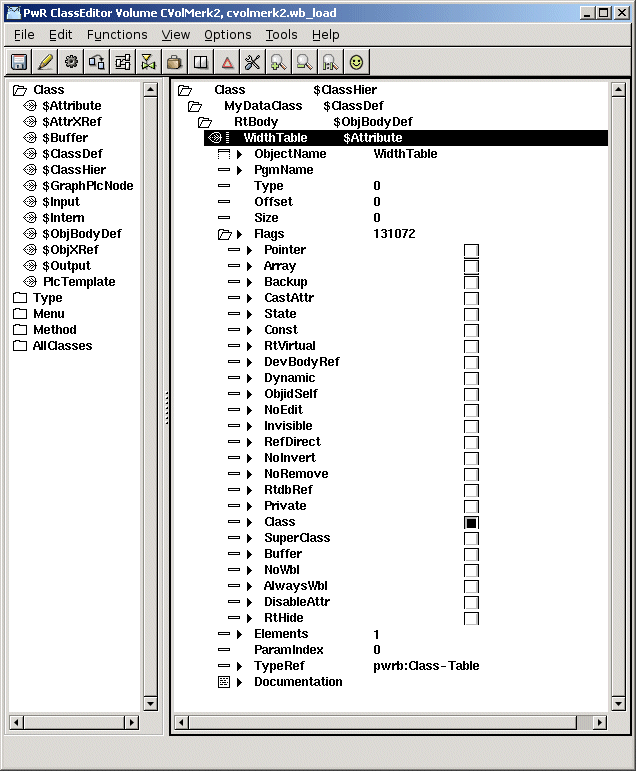
Definition of an attribute object of class Table
Subclass
You can also define a class as a subclass to another class. The subclass will inherit
attributes and methods from the other class, which is called the super class.
A subclass is defined by naming the first $Attribute object in the class to 'Super',
and setting the Class and SuperClass bits in Flags. The superclass is stated in TypeRef.
All the attributes that exist in the superclass will also be present in the subclass. The
subclass can also have additional attributes that are defined as usual by $Attribute objects.
A superclass can only contain a runtime body, not a development body.
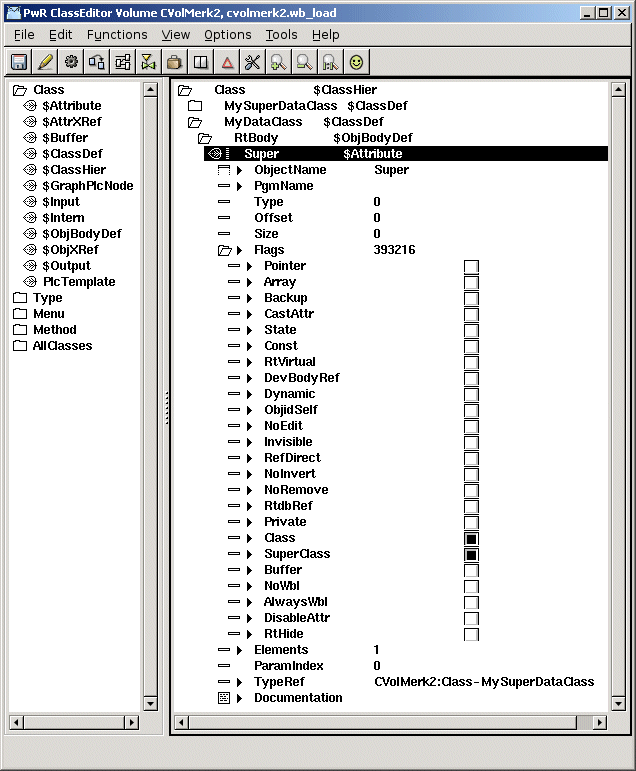
The Super attributes makes MyDataClass a subclass of MySuperDataClass