Build

Before you have a running system for a node, you have to build the node. It means that you
generates what you need in the runtime environment, e.g. a boot file specifying which volumes
are to be loaded, loadfiles for the volumes containing info about the objects in the volume,
an executable for the plc program etc.

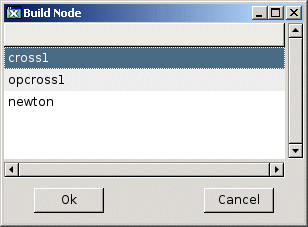
You build by activating 'Functions/Build Node' in the Configurator menu, or the corresponding
button in the tools panel. If there are several nodes configured in the project, you also
have to select a node from the viewed list of nodes.


Fig Node selection

Also the build is divided into methods for different classes. The build method for a PlcPgm
generate code for the modified windows and compiles this code. The build method for a
volume creates a loadfile for the volume, and calls the build mehtods for all objects
in the volume. The build method for a node calls the build method for the volume, creates
a bootfile for the node, and to link the plc executable. The build methods for an object can
be called by selecting the object and activating 'Functions/Build Object' in the menu, and
the build method for the current volume by activating 'Functions/Build Volume'.

Below follows a description of some build methods.

XttGraph            Copies the pwg file for the graph from $pwrp_pop to $pwrp_exe.
WebGraph            Copies the pwg file from $pwrp_pop to $pwrp_web.
OpPlaceWeb          Generates html-files for the homepage of the node, and converts xtt helpfiles
         to web format.
PlcPgm            Generates c-code that is compiled by the c compiler.
RootVolume          Calls the build method for all objects in the volume, and creates a load file
          with info about the objects in the volume. Also creates crossreference files
          if specified in Options.
ClassVolume         Generates include files with c structs for the classes of the volume, and
          creates a loadfile with the type and class definitions.
Node            Calls the build method for the rootvolume, if the volume is available. Creates
           a bootfile with info about which volumes are to be loaded, and links the
           plc program of the node.
Normally the build method first checks if anything is modified, and only performs the build
if it finds a modification. In some cases you want to force a build, and then set 'Force' in
the Build column in options opened from 'Options/Settings' in the menu. It is also possible
to mark that you want to create crossreference files ag build, or that compile and link of
the plc should be performed with debug.

If a node contains subvolumes or shared volumes, these have to be built by 'Build Volume'
before building the node.