Node Configuration
When you have configured the plant, continue to configure the nodes.
Processtation
In this example we choose to start configuring the process station. We name the process station
"cross1". It is advisable to give the process stations descriptive names. In the node
hierarchy we create a $NodeHier object 'Nodes' and below, a $Node object 'cross1' that
configures the node.
In the analysis phase we decided that the process station should consist of the following
hardware:
- 1 Linux PC
- 1 rack with 16 slots
- 1 card with 16 digital inputs (Di channels).
- 1 card with 16 digital outputs (Do channels).
The rack and the cards are configured in a manner much like what you would do physically. You
have a node, place the rack in the node, the card in the rack, and the channels on each card.
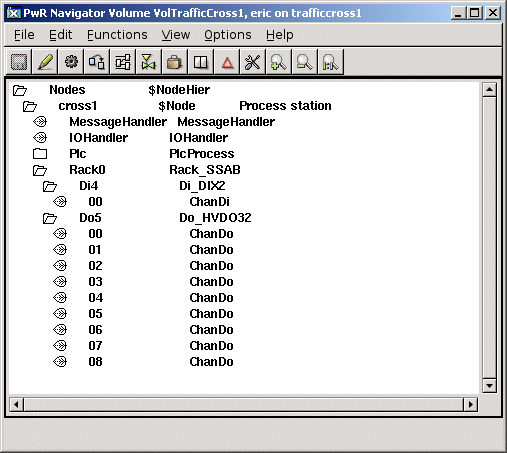
Fig Node Configuration of the Process Station
We also configure the PLC program with a PlcProcess object, and below this, a PlcThread object
for each time base. We are content with one 100 ms timebase.
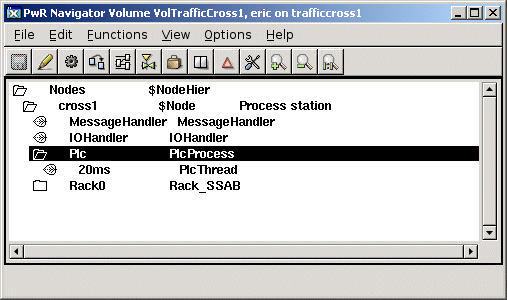
Fig Timebase configuration of the PLC program
Each object has a number of attributes that you may have to change. To give an understanding of
how to change attributes, some of the attributes in the PlcProcess object are edited below.
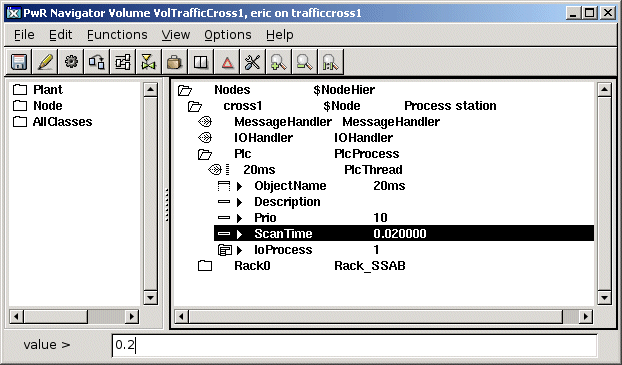
Fig Change of Attribute Value
Operator Station
The node hierarchy of the operator station is configured in the volume VolOpTrafficCross1.
Below the node object we find an OpPlace object that defines the operator place, and below this
a XttGraph object for the process graph of the operator station.
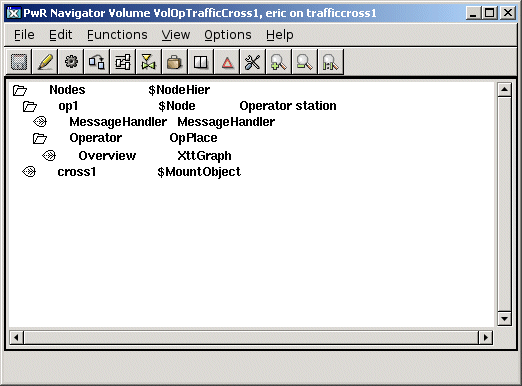
Fig The Node Configuration in the Operator Volume.
Connecting channels to signals
When you have configured the plant and the nodes, it is time to connect the logical signals to
the physical channels. Each logical signal in the Plant Configuration must be connected to one
channel in the Node Configuration; a Di to a ChanDi, a Do to a ChanDo, an Ai to a ChanAi and
an Ao to a ChanAo , etc.
You can see the connection as a representation of the copper cable between the components in the
plant, and the channel in the I/O rack. In the figure below there is a cable between the switch
and channel 0 in the Di-card. As the Di-signal ServiceSwitch is representing the switch and
Di-channel Di4-00 is representing the channel, we have to make a connection between these two
objects.
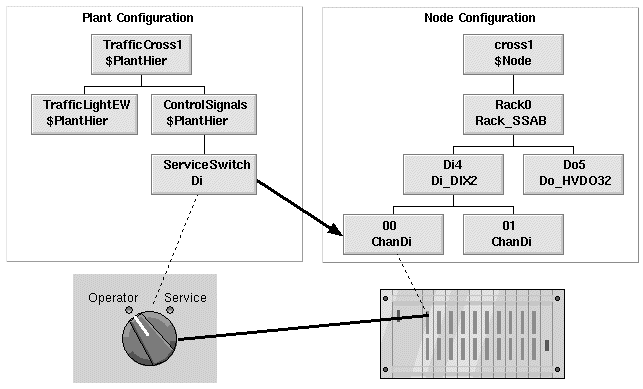
Fig Connection between a signal and a channel
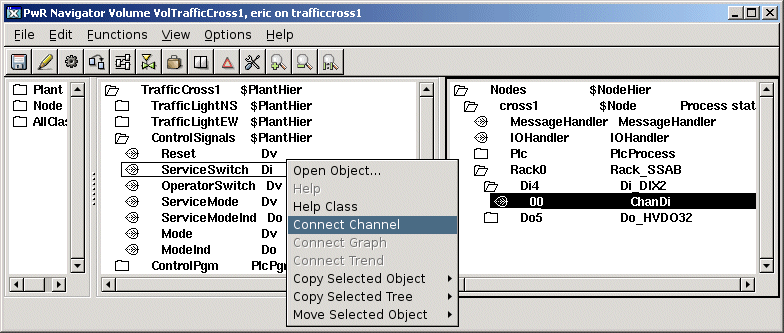
Fig Connect a signal to a channel