Execute commands
With action Command you can specify an xtt command that is executed when an object is
clicked on. There are a number of xtt commands to open graph, show curves, call methods etc.
The xtt commands are described in the Operator's Guide. You can also execute scripts with
Command.
In this example we will open a trend curve from a push button.
We create a rectangle, add a suitable text and make a group fo the recangle and the text.
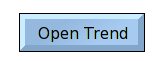
Fig Command pushbutton
In Action we mark Command and in Command.Command we insert the xtt command. We want to open
a trend curve configured with the DsTrend object H4-Av1-Trend, and the command to open the
curve is
open trend H4-Av1-Trend
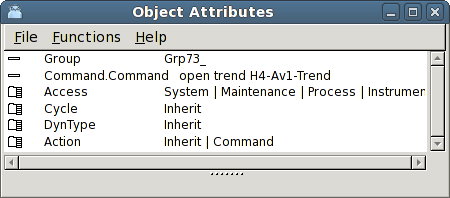
Fig Command to open a trend
Execute a script
With a script you can execute several commands at the same time, but you can also read
attributes in the database, test on different conditions and set attributes.
A script is executed with an xtt command consisting of a '@' sign followed by the filename
of the script, for example
@$pwrp_exe/my_script
This will execute the script my_script.rtt_com on the directory $pwrp_exe.
Below is an example of a script that opens the graph g1 if H1-Dv1 is set, else the graph g2
is opened.
main()
int sts;
if ( GetAttribute( "H1-Dv1.ActualValue", sts))
open graph g1
else
open graph g2
endif
endmain