Ellipse and circle
Draw an ellipse by selecting the ellipse button in the tool panel, and press the left mouse
button, drag with the button pressed, and finally release the button.
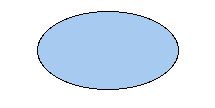
Fig Ellipse
As for the rectangle, you can set properties for border, fill, border color, fill color,
3D and gradient. Some examples are displayed below.
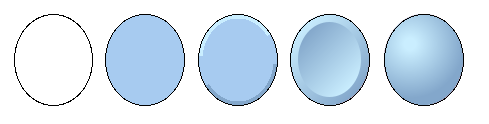
Fig Circle with various combinations of border, fill, 3D and gradient
Arc
You can also draw an arc by specifying angle1 and angle2 in the object editor. angle1 is
the angle from the horizontal axis to the beginning of the arc, and angle2 is the angle for
the extension of the arc.
Draw several ellipses
By pressing the Shift key when you click on the arc button in the tool panel, you can draw
several arcs ellipses without clicking on the arc button for every new ellipse. The function
is reset by right clickning in the work area.
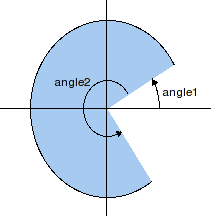
Fig Arc with angle1=30 and angle2=270