TabbedWindow
TabbedWindow is a Window object that allows multiple graphs to be viewed in one window,
using tabs to switch between graphs. For each tab a specific graph is stated, and when
the graph is activated the stated graph is displayed in the window.
You can display object graphs or other graphs in a tabbed window. We will have a look at
how to display a set of object graphs, as in the window example above.
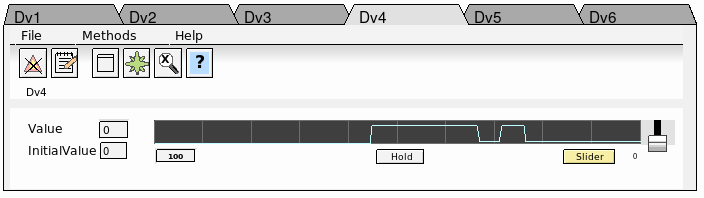
Fig A tabbed window object
We will have 6 tabs and each tab will display the object graph of a Dv object. When the
TabbedWindow is created, we open the object editor and set Folder.NumberOfFolder to 6.
We also increase the tab size by changing Folder.HeaderHeight to 1. Then we insert FileName,
Text and Object for the 6 first tabs. Filename is the filename of Dv object graph, ie
$pwr_exe/pwr_c_dv. In Text we set Dv1, Dv2 etc and Object contains the object name of the
different Dv objects, H1-Dv1, H2-Dv2 etc. We also increase the text size of the tabs by
selecting the window object and set TextSize to 14 in the tool panel.
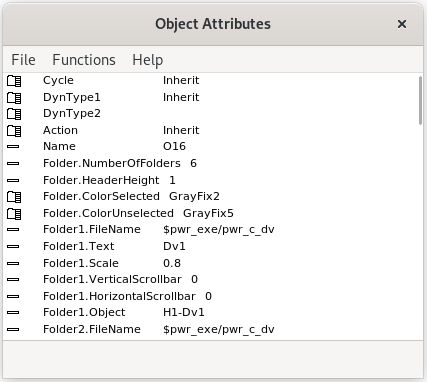
Fig The object editor of the tabbed window