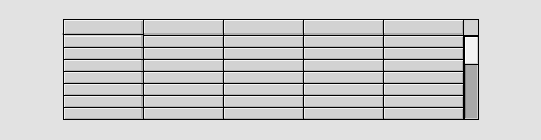
| Attribute | Description | |
| Table.Rows | Number of rows in the table (header row excluded). | |
| Table.Columns | Number of columns in the table (header column included). | |
| Table.HeaderRow | A header row with title for each column is drawn. | |
| Table.HeaderColumn | The leftmost column is not comprised by the horizontal | |
| scrollbar. | ||
| Table.RowHeight | Row height. | |
| Table.HeaderTextSize | Text size of the text in the header row. | |
| Table.HeaderTextBold | Bold text in the header row. | |
| Table.HeaderTextColor | Text color in the header row. | |
| Table.Options | Bitmask with options | |
| 1: If the cell in the leftmost column is empty, all the | ||
| cells on that row is drawn empty. | ||
| Table.VerticalScrollbar | Vertical scrollbar in the table. | |
| Table.HorizontalScrollbar | Horizontal scrollbar in the table. | |
| Table.ScrollbarWidth | Scrollbar width. | |
| Table.ScrollbarColor | Fill color of the mobile part of the scrollbar. | |
| Table.ScrollbarBgColor | Fill color of the background part of the scrollbar. | |
| Column1.Attribute | Array attribute. The value of each element is displayed | |
| in the corresponding row in the column. The attribute | ||
| should be stated with data type and size, see above. | ||
| Column1.Format | Format in c syntax. | |
| Column1.SelectAttribute | Array attribute of type Boolean, When a cell in the | |
| column is selected, the corresponding element in the | ||
| array is set. The attribute should be stated with data type | ||
| and size, see above. | ||
| Column1.Width | Width of the column. | |
| Column1.HeaderText | Column title. The title is written in the header row. | |