Blocklist
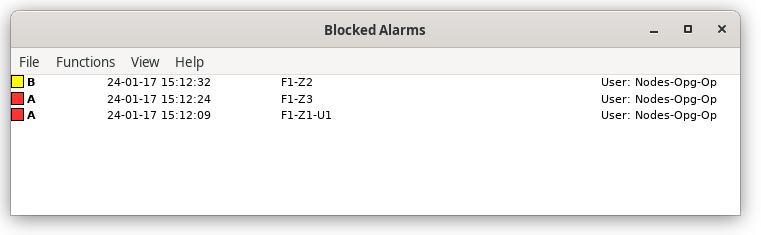
Fig Blocklist
The list of blocked alarms is opened from the menu in the navigator, Alarm/Blocket Alarms,
or by the xtt command 'show blocklist'.
For each blocked objects are displayed:
- Color indicating the blocked priority level.
- Object name.
- User that has made the blocking.
A blocking is removed by selecting the blocking and activating Functions/Remove Blocking in
the menu.
Alarm blocking is performed by the 'Block Events' method for an object.