System / Device


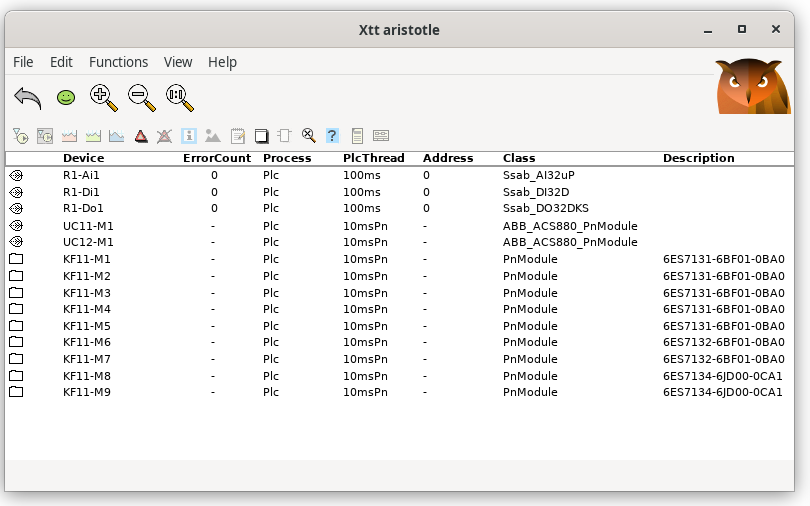
Shows a list of I/O devices.

The I/O system in ProviewR is divided into four levels, agent, rack, card and channel.
In the device list, all the card objects are displayed.


Fig List of I/O units

Description of the columns

Device              Name of device object. Only the two last name segments are viewed.
Class               Card object class.
ErrorCount          Counter for read or write failures.
Process             Process handling the card. 1: plc, 2 io_comm.
PlcThread           Plc thread handling the card.
Address             Address configured for the card.
By selecting a device and press the Arrow Right key the channels of the device are
displayed (you can also click on the leaf).