Status Monitor


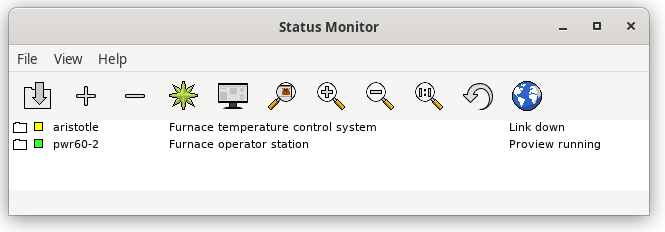
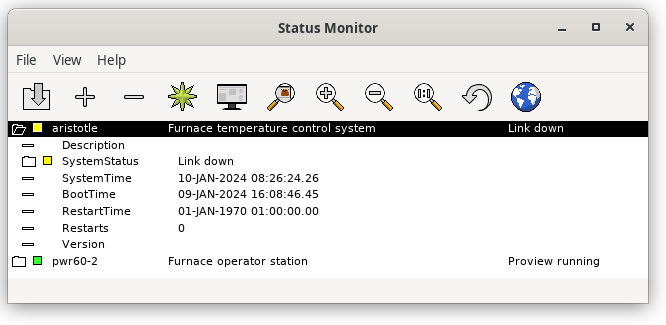
The Status Monitor is a tool to supervise and handle process- and operator
stations. You add nodes that you want to supervise and the statusmonitor views
status for the node, with color indication and status information.

By default the SystemStatus is displayed for the nodes, but with the -m option
another status assigned by the application can be displayed instead.


Fig The Status Monitor

The command to start the status monitor is

> rt_statusmon [-l 'language'][-c 'config-file'][-m 'status-index'][-e][-t][-o][-g]

-l Language, en_us, sv_se, de_de or fr_fr.
-m Display a user defined status insteadad of system status.
-c Configuration file. Default $HOME/rt_statusmon.dat.
-e Show node description from setup file.
-t Hide buttons to start Runtime Monitor in toolbar and menu.
-o Open map at start.
-g Don't connect to ProviewR runtime.
Add and remove nodes

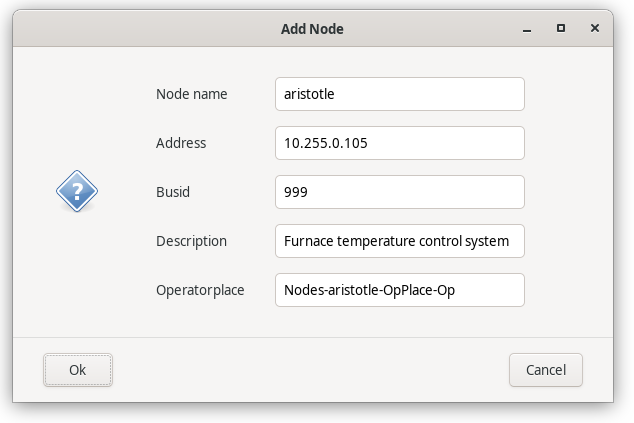
Nodes are added and removed to the list with the '+' and '-' buttons in the tool bar.
When adding a node the nodename, ip address, bus id, description and operator place
should be specified.


Fig Add node

More information is displayed by opening a node by clicking on the map.


Fig Node info

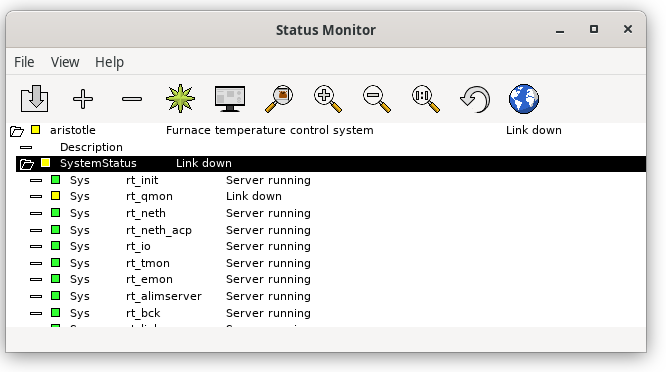
By opening the SystemStatus map, the status for the individual processes are
displayed.


Fig Process status for a node

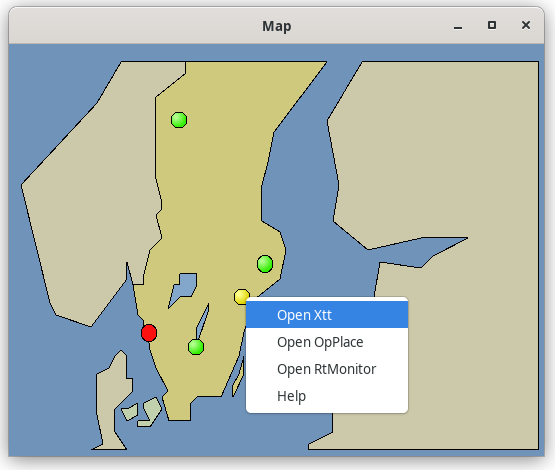
If a map is drawn over the plant, this can be opened from the globe in the toolbar.
Indicators will show the status of each node, and a popup menues can be configured to
open oeratorplace and xtt.


Fig Map

Commands

The status monitor contains a command line that is opened with Ctrl+B. The commands can
be used for map popup menues in particular.

The following commands are defined

help
Display the help text for a topic.

help 'topic'

For qualifiers, see the Xtt help command

select node
Select a node in the node list.

select node /node=

/node             Name of the node to select.
open graph
Open a Ge graph.

open graph 'graph'

open opplace
Open operator place for specified node.

open opplace /node=

/node             Name of node.
open xtt
Open runtime navigator for specified node.

open xtt /node=

/node             Name of node.
open rtmon
Open runtime monitor for specified node.

open rtmon /node=

/node             Name of node.