
| Volume BaseComponent | |
| Attributes: Runtime | Development | System | Template | Detail C Binding: Struct | Class ClassTree | INDEX NO INDEX |
|
Class BaseDirValve
|
||
|---|---|---|
| Version | 1.0 | |
| Modified | 21-SEP-2005 09:25:41.98 | |
 Base component for a directional valve with two solenoids.
 The valve is controlled with two digital order outputs.

 The buttons for increment and decrement in the object graph can be configure to show
 Incr/Decr, Up/Down, Forw/Back or Open/Close.

 There is no graphical symbol available for this object.
Object Graph
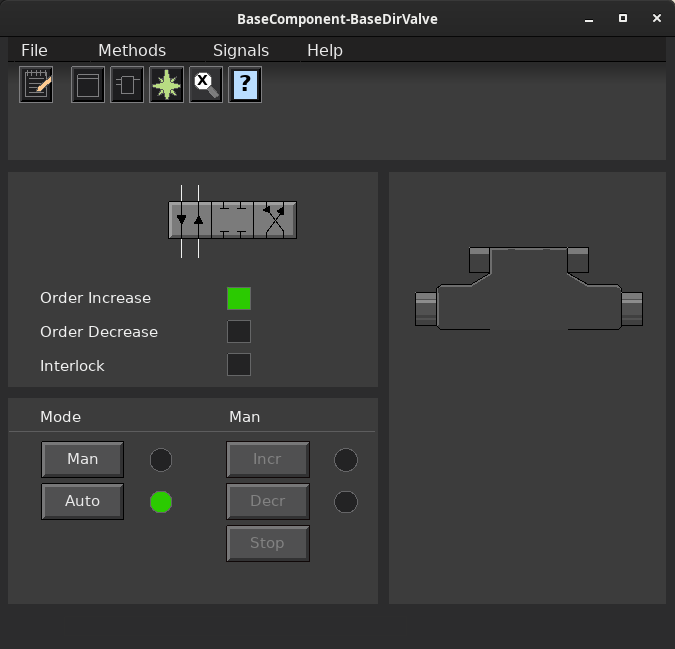
No manual control
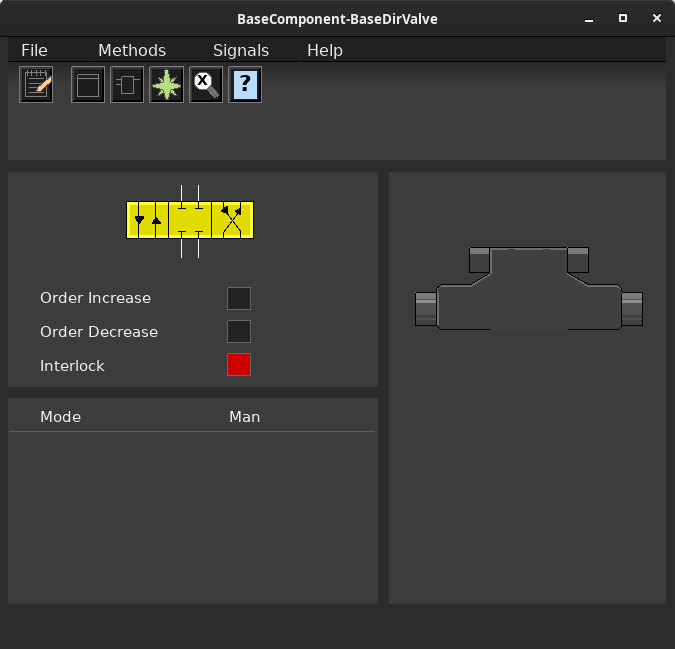
 The figure shows a configuration without manual control, i.e. the valve is
 always controlled from the ExtOrderIncr and ExtOrderDecr input in the function
 object. This is achieved by setting Mode.OpAutoOnly 1.

 The figure shows a scenario where valve is interlocked via the input ExtInterlock
 in the function object.

 @Mode
 The modes Auto/Man is handled by the mode object, CompModeD2M. See this object for
 more information.
Component Configuration
 -IncrDecr      Text of Incr/Decr buttons in object graph is Incr/Decr.
 -UpDown        Text of Incr/Decr buttons is On/Off.
 -ForwBack      Text of Incr/Decr buttons is Forw/Back.
 -OpenClose     Text of Incr/Decr buttons is Open/Close.
Signals
 Signals that should be connected to channel objects:

 - OrderIncr   Do
 - OrderDecr   Do
Plc coding
For plc coding the function object BaseDirValveFo is used.
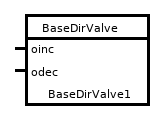
 Create a function object in the plc editor and connect it to the current
 object with the connect function.
Simulate
A simulation object is not yet implemented.See also
| RtBody attributes pwr_sClass_BaseDirValve | |||
|---|---|---|---|
| Component | Super | Super class. | |
| BaseDirValveGCEnum | GraphConfiguration | Enumeration for object graph configuration. Handled by the ConfigureComponent method. |
|
| Do | OrderIncr | The increment order output. | |
| Do | OrderDecr | The decrement order output. | |
| CompModeD2M | Mode | Mode object. Handles the auto and manual modes. | |
| Boolean | IndWarning | Indication for warning. | |
| Boolean | ExtInterlock | External interlock. | |
| DirValvePosEnum | PositionEnum | Enumeration for valve position (closed, forward or reversed). | |
| AttrRef | PlcConnect | The plc function object connected to this object. | |
| Template Object |
|---|
| Super Attribute | ||
|---|---|---|
| Class | Attribute | |
| Type | Component | |
| Flags | Class|Superclass | |
| Body | RtBody | |
Super class.
| GraphConfiguration Attribute | ||
|---|---|---|
| Class | Attribute | |
| Type | BaseDirValveGCEnum | |
| Flags | ||
| Body | RtBody | |
 Enumeration for object graph configuration.
 Handled by the ConfigureComponent method.
| OrderIncr Attribute | ||
|---|---|---|
| Class | Attribute | |
| Type | Do | |
| Flags | Class | |
| Body | RtBody | |
The increment order output.
| OrderDecr Attribute | ||
|---|---|---|
| Class | Attribute | |
| Type | Do | |
| Flags | Class | |
| Body | RtBody | |
The decrement order output.
| Mode Attribute | ||
|---|---|---|
| Class | Attribute | |
| Type | CompModeD2M | |
| Flags | Class | |
| Body | RtBody | |
Mode object. Handles the auto and manual modes.
| IndWarning Attribute | ||
|---|---|---|
| Class | Attribute | |
| Type | Boolean | |
| Flags | ReduTransfer|Noedit | |
| Body | RtBody | |
Indication for warning.
| ExtInterlock Attribute | ||
|---|---|---|
| Class | Attribute | |
| Type | Boolean | |
| Flags | ReduTransfer|Noedit | |
| Body | RtBody | |
External interlock.
| PositionEnum Attribute | ||
|---|---|---|
| Class | Attribute | |
| Type | DirValvePosEnum | |
| Flags | ||
| Body | RtBody | |
Enumeration for valve position (closed, forward or reversed).
| PlcConnect Attribute | ||
|---|---|---|
| Class | Attribute | |
| Type | AttrRef | |
| Flags | ||
| Body | RtBody | |
 The plc function object connected to this object.
 This attribute is set when the function object is connected from
 the plc editor by the connect function.