 Base component for a solenoid three way valve with two switches.

 The object is a subclass to BaseMValve. For more information, see
 this class.

 A three way valve has three ports, one that is always open to one
 of the other ports, of partly open to both, and two that can be
 completely closed.

 The naming of the switches refers to the first closeable port, which
 is open when the switch open is affected, and closed when the switch
 closed is affected. The other closeable port has the opposite behavior,
 it is open when the switch closed is affected, and closed when the
 switch open is affected.
Graphical Symbol
The graphical symbol for this object is BaseComponent/M3WayValve.

 The closable ports are marked with lines.

 Default dynamics:
 - a port triangle is colored with the original color when the port is open.
 - a port triangle is colored white when the port is closed.
 - the valve colored red when an error occurs.

 Default action:
 - the methods menu is opened with MB3.

 The current mode is displayed with the letters L (local) and M (manual).
 If no letter is displayed, the mode is auto.
Object Graph
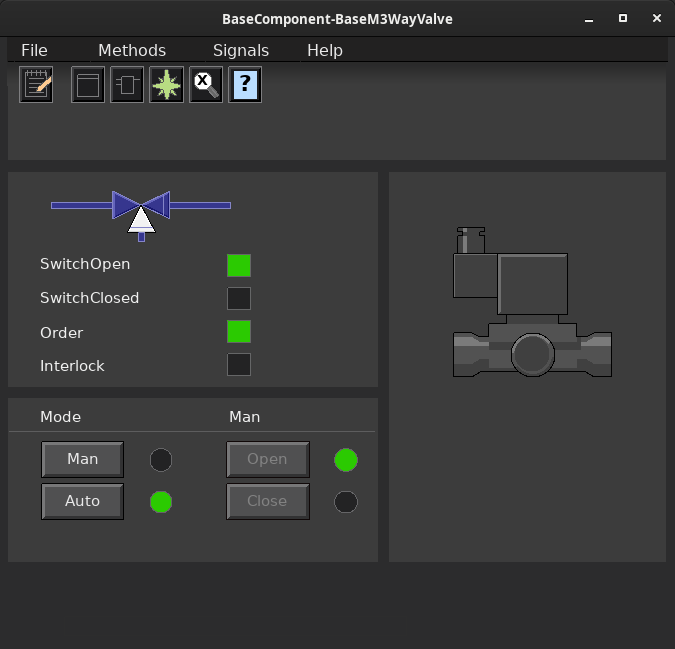
Mode
 Auto or manual mode is selected from the object graph, with the buttons 'Auto'
 and 'Man'. The possibility to set the valve in manual mode might be disabled. In
 this case, the Auto/Man buttons are not displayed in the object graph.

 - Auto. The order output is controlled by the plc.
 - Manual. The order output is controlled by the operator, from the object graph.
   The valve is opened with the 'Open' button, and closed with the 'Close' button.
Supervision
 If limit switches for open and closed position are available, they are matched
 against the order output. If a switch doesn't correspond to the order within
 a time limit, an alarm is sent.

 If you choose not to use the handling of modes in the object, but place this
 outside the object, it is important to reset the order at error status, i.e.
 you should reset the function object inputs at error, to avoid unwanted restarts.
Configuration
Component configuration
 - TwoSwitches            Switch open and switch closed.
 - SwitchOpen             Switch open.
 - SwitchClosed           Switch closed.
 - NoSwitches             No switches.
Signals
 Signals that should be connected to channel objects:

 - Order        Do
 - SwitchOpen   Di (optional)
 - SwitchClosed Di (optional)
Mode
 If the valve always should be controlled by the plc, the manual mode is
 disabled by setting Mode.OpAutoOnly to 1.
Plc coding
For plc coding the function object BaseMValveFo is used.
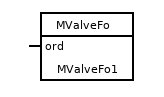
 Create a function object in the plc editor and connect it to the current
 object with the connect function.
Simulate
For simulation of the valve, use the plc object BaseMValveSim.
See also
